



How do the 2026 Volkswagen Tiguan displays elevate daily driving around City of Industry, CA?
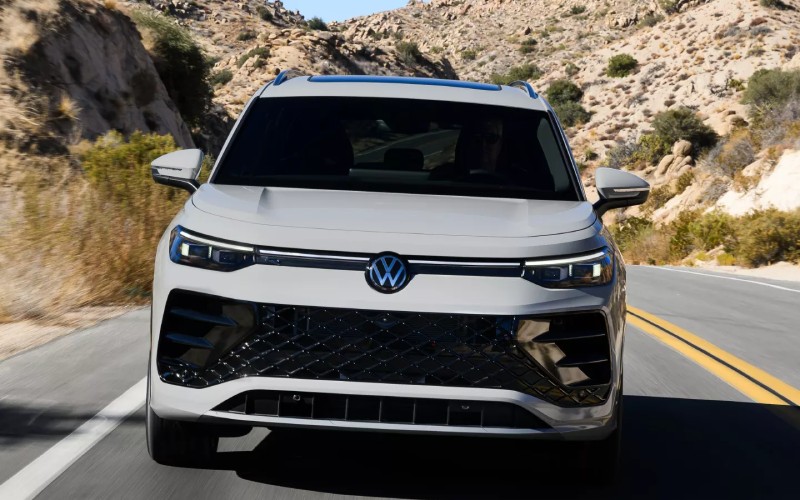
Puente Hills Volkswagen – How do the 2026 Volkswagen Tiguan displays elevate daily driving around City of Industry, CA?
The 2026 Volkswagen Tiguan brings a fresh, modern interface to everyday driving with a standard 12-inch display and an available 15-inch touchscreen on SEL R-Line Turbo that transforms the cabin into a clear, intuitive command center. Around City of Industry, CA—where routes blend quick freeway hops with street-by-street errands—having a responsive, easy-to-navigate screen setup matters. The Tiguan’s displays deliver crisp graphics, logical menus, and fast touch response, so you spend less time hunting for settings and more time feeling settled and confident on the move.
What makes these displays truly helpful is how they anchor the Tiguan’s broader tech experience. Wireless App-Connect keeps compatible smartphone apps front and center, while Wireless Charging reduces cable clutter for a cleaner console. Add a Wi-Fi Hotspot for passenger browsing and myVW+ connected services for convenient remote features, and you get an SUV that supports your day without adding steps. If you are deciding which trim fits your tech preferences, here is a closer look at what these displays bring to your drive.
Clarity you can see at a glance
Display quality is more than pixels—it is about glanceable information. The Tiguan’s 12-inch screen presents key functions with clean layout and contrast that reads well in bright sun or evening commutes. Traffic cues, media controls, and settings remain easy to reach, eliminating unnecessary menu-diving. Step up to the SEL R-Line Turbo, and the 15-inch touchscreen expands your canvas for navigation and system pages. Larger interface elements and broader map views help you scan and act faster—useful on interchanges or when you need to make quick, well-informed decisions.
Wireless App-Connect and fewer cords
Many drivers want their smartphone interfaces to feel native in the vehicle, and the Tiguan does exactly that. With Wireless App-Connect, compatible Apple CarPlay and Android Auto place your key apps on the vehicle display where they are most usable. Music, calls, and messaging fit naturally into the Tiguan’s layout. Pair that with Wireless Charging to top up compatible devices without connector hunting, and you have a cabin that stays tidy even when you are juggling a full day’s schedule.
Premium Speech and myVW+ add convenience
Premium Speech elevates the in-vehicle voice assistant experience, so you can ask for directions or find a coffee spot in a way that feels conversational. It is a natural complement to the touchscreen, helping reduce taps for common tasks. Layer in myVW+ connected services for handy features like remote lock and unlock on supported vehicles, and your Tiguan starts to feel like a helpful partner before you even step inside. The cumulative effect is a tech environment that eases mental load, instead of adding more to manage.
Designed for the rhythm of Southern California drives
City of Industry, CA sits at the crossroads of major arteries, so display usability shows its value quickly. Quick access to route changes on the 15-inch touchscreen, easy-to-reach audio settings, and clear system status indicators mean fewer distractions when merging or switching lanes. Families appreciate how the Wi-Fi Hotspot can keep passengers content on longer stints, while Wireless Charging keeps the getaway car uncluttered after a day of errands. Even small touches—like consistent icon placement and predictable menu structure—add up to a calmer, more confident drive.
Volkswagen pairs the display experience with available IQ.DRIVE® driver assistance technology to support your situational awareness. It is not a substitute for attentive driving, but when traffic bunches up or you face a long freeway stretch, those supportive features and the Tiguan’s clear visuals help you feel more in command. That synergy—software you can trust, screens you can read quickly, and helpful assistance—defines why the Tiguan’s tech feels tailored to real-world needs.
How to choose your Tiguan for the right screen setup
Start with how you use your vehicle. If you want a clean, modern interface that covers the basics beautifully, the 12-inch display will satisfy. If you rely heavily on onboard navigation, like more real estate for split views, or simply appreciate an expansive, high-contrast map, the SEL R-Line Turbo’s 15-inch touchscreen will feel like a worthwhile step up. Either way, pairing your preferred display with Wireless App-Connect and Wireless Charging brings the day-to-day benefit most drivers seek—efficiency without complication.
Puente Hills Volkswagen is here to help you experience both displays side by side and dial in settings that match your preferences. Our product specialists can walk you through the interface, set up your device for Wireless App-Connect, and demonstrate how Premium Speech works in common scenarios like route finding or audio control, so you know exactly how the Tiguan will fit your routine.
- Display size choice: Standard 12-inch display or available 15-inch touchscreen on SEL R-Line Turbo for larger visuals.
- Clean interface: Logical menus with crisp graphics make key actions quick and intuitive.
- Seamless smartphone use: Wireless App-Connect integrates compatible apps naturally.
- Less clutter: Wireless Charging reduces cables for a cleaner console.
- Voice-friendly control: Premium Speech enhances voice interactions for common tasks.
- On-the-go connectivity: Wi-Fi Hotspot supports passenger browsing on longer drives.
As you compare SUVs, pay attention to how the screen responds and how quickly you can accomplish routine actions. The Tiguan’s system is tuned for everyday usability—precisely what you want when traffic gets dense or your day runs long.
Frequently Asked Questions:
Is the 15-inch touchscreen standard on the 2026 Tiguan?
No, the 15-inch touchscreen is available on SEL R-Line Turbo. All Tiguan models include a standard 12-inch display with a clean, modern interface.
Can I use smartphone apps without plugging in?
Yes, Wireless App-Connect supports compatible Apple CarPlay and Android Auto so you can run apps on the vehicle display without a cord.
Does the Tiguan have voice control?
Yes, the Tiguan offers in-vehicle voice control, and Premium Speech is available to bring an enhanced voice assistant experience for supported commands and content.
What connectivity features help on longer drives?
A Wi-Fi Hotspot can support passenger browsing, Wireless Charging keeps compatible devices powered, and the larger 15-inch touchscreen provides expansive maps that are easy to scan at a glance.
If you are choosing between display options or want to see how the system works with your phone, our team is happy to walk through live demos. We are serving La Puente, West Covina, and City of Industry with test drives tailored to your daily routes, so you can experience the Tiguan’s tech exactly as you will use it. When it is time to pick the right trim and features, count on clear guidance and a smooth, helpful process.
Schedule a visit to explore the 2026 Volkswagen Tiguan’s displays and connectivity in person. With the right setup, your drive can feel more relaxed, more intuitive, and more you—every single day.
Visit us to see how quickly the Tiguan’s interface becomes second nature, and how the combination of clear screens, Wireless App-Connect, and Premium Speech can simplify your routine. One drive is often all it takes to understand why these displays stand out.
When you are ready, we will help you compare trims, set up your device, and customize the screen layout so it is ready from day one. That is the difference you can expect from Puente Hills Volkswagen—straightforward, knowledgeable, and focused on what makes your daily drive better.
0 comment(s) so far on How do the 2026 Volkswagen Tiguan displays elevate daily driving around City of Industry, CA?