



How does IQ.DRIVE work on the 2026 Volkswagen Taos for West Covina, CA drivers?
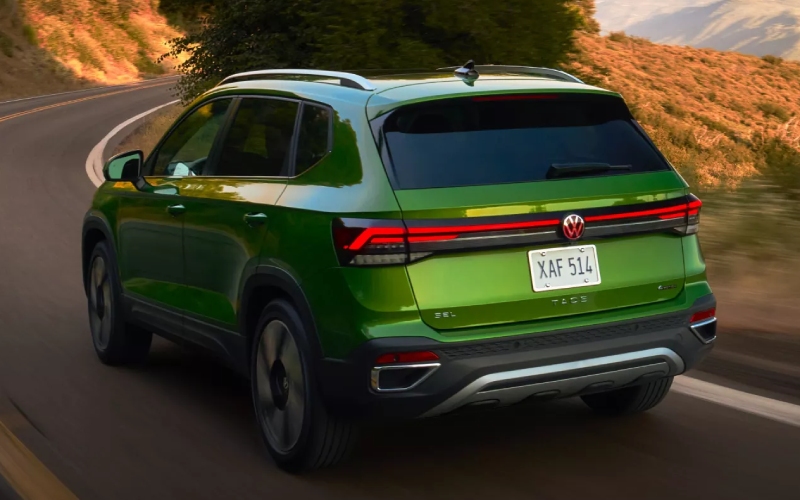
Puente Hills Volkswagen – How does IQ.DRIVE work on the 2026 Volkswagen Taos for West Covina, CA drivers?
The confidence you feel behind the wheel often comes down to how calm and supported the drive seems in real traffic—especially around freeway merges, changing lane markings, and stop-and-go patterns common to West Covina, CA. That is where IQ.DRIVE® on the 2026 Volkswagen Taos plays a starring role. It brings hands-on, semi-automated capability to help with steering assistance, distance keeping, and front traffic monitoring, all designed to reduce fatigue while keeping you firmly in control.
Below, we break down what IQ.DRIVE® is, how it typically works in everyday scenarios, and what to try on your test drive so you can decide whether these systems fit your routine. Think of this as a practical guide for local shoppers who want the technology to work for them without getting in the way.
What IQ.DRIVE® aims to do
IQ.DRIVE® is Volkswagen’s suite of driver assistance technology engineered to support the driver, not replace the driver. Its capabilities focus on keeping the Taos centered in its lane, maintaining a comfortable following distance, watching for potential forward collisions, and offering alerts or assistance when necessary. In short, it is there to help you stay aware and less fatigued, especially on those long stretches of the 10 and 60 or during the accordion-like traffic on the 605.
While you stay attentive and keep your hands on the wheel, IQ.DRIVE® works in the background, providing guidance that can help you maintain a steady, composed drive. The 2026 Taos pairs this assistance with the standard Digital Cockpit and an intuitive infotainment interface so you can quickly access settings and see relevant prompts.
Core capabilities you will likely use most
The Taos will vary by trim and equipment, but IQ.DRIVE® commonly includes a combination of assistance that eases daily driving in meaningful ways. Here are the tools most shoppers ask about and how they typically help:
- Lane centering support during light curves and well-marked roads
- Adaptive cruise control to maintain set speed and following distance
- Forward monitoring with alerts and braking assistance
- Assistance with steering input in specific conditions
- Alerts for vehicles or objects approaching from the sides or rear
Each function has a distinct role. For example, adaptive cruise control is a game changer on the 57 when traffic alternates between smooth cruising and rolling slowdowns. Lane guidance reduces the micro-adjustments you make on long drives, which can lower fatigue. Front detection and braking assistance provide an added layer of confidence when traffic ahead stacks up faster than expected.
How IQ.DRIVE® feels on real roads
On a well-marked freeway, you will notice gentle, natural-feeling steering inputs when lane centering activates. The Taos does not “tug” at the wheel; instead, it provides subtle assistance that you oversee at all times. In heavier traffic, adaptive cruise control helps by regulating speed and spacing smoothly—especially helpful near interchanges and construction zones where speeds fluctuate unpredictably.
At suburban speeds, forward monitoring stands guard. If a vehicle or object ahead decelerates quickly, the system alerts you and can apply braking assistance. This is particularly reassuring around busy retail corridors and school zones. It is important to remember that IQ.DRIVE® is a support system; attentive driving and proper supervision are always required.
Technology works best when it fades into the background, and that is the idea here. The Taos combines IQ.DRIVE® with clean, readable prompts in the Digital Cockpit so you can see system status at a glance. If you prefer to fine-tune how and when features notify you, you can do that through straightforward on-screen menus.
What to test on your drive
To understand how IQ.DRIVE® fits your life, a thoughtful test route matters. Ask to try a mix of neighborhood streets, multi-lane boulevards, and freeway segments. Then, work through a short checklist:
- Engage assistance on a lightly curved freeway stretch
- Set adaptive cruise to manage a rolling slowdown
- Observe alerts when vehicles merge into your lane
- Test how easily you can adjust system settings
- Review system prompts in the Digital Cockpit
Pay attention to how confident you feel rather than just watching features at work. Do the prompts arrive in a way that feels intuitive and non-intrusive? Do the steering inputs feel natural? Are the graphics in the Digital Cockpit easy to read at a quick glance? Those impressions will tell you more than any spec sheet.
Beyond driver assistance, consider how the Taos as a whole supports your routine. The standard Digital Cockpit is clear and modern. Wireless App-Connect helps you keep your maps and audio front-and-center without extra cables, an available Wi-Fi Hotspot keeps passengers connected, and available wireless charging helps keep your phone topped off. These touches round out the calm, organized driving environment IQ.DRIVE® is designed to complement.
Local shoppers also appreciate how the Taos’ available 4MOTION® all-wheel drive layers on confidence for steep driveways or weekend excursions that include light gravel or uneven surfaces. If traction is on your list, ask for back-to-back drives in FWD and available 4MOTION® to feel the difference directly.
When you are ready to see everything come together, our team can guide you through a tailored demo. We will help you pair your phone, set preferred assistance thresholds, and explore the myVW app and myVW+ connected services so remote features feel second nature from day one.
Frequently Asked Questions:
Do I have to keep my hands on the wheel when IQ.DRIVE® is active?
Yes. IQ.DRIVE® provides hands-on, semi-automated capability. You must remain attentive, keep your hands on the wheel, and be prepared to steer and brake at all times.
Is IQ.DRIVE® available on all 2026 Taos trims?
IQ.DRIVE® is available across the lineup and standard on many configurations, with feature content that can vary by trim. Our team will review details and show you how it works on the specific Taos you are considering.
Can I adjust how and when the alerts appear?
Yes. You can fine-tune several alert settings and view system status in the Digital Cockpit and infotainment menus to match your preferences.
What other tech pairs well with IQ.DRIVE® on the Taos?
Wireless App-Connect, the available Wi-Fi Hotspot, and available wireless charging contribute to a calmer, more organized drive. The standard Digital Cockpit makes assistance status easy to confirm at a glance.
If you are comparing compact SUVs around West Covina, CA, IQ.DRIVE® on the 2026 Taos is worth a dedicated test. It is designed to help you feel more composed on the daily loop, while the rest of the Taos—its Digital Cockpit, versatile cargo space, and available 4MOTION®—rounds out a confident, easygoing package.
Schedule a tailored demo with Puente Hills Volkswagen, serving La Puente, West Covina, and City of Industry, and we will map a route that mirrors your commute, set up the systems you want to try, and make sure you have the information you need to decide with confidence.
0 comment(s) so far on How does IQ.DRIVE work on the 2026 Volkswagen Taos for West Covina, CA drivers?