



Will the 2026 Volkswagen Atlas Wi-Fi Hotspot keep everyone connected near Chino Hills, CA?
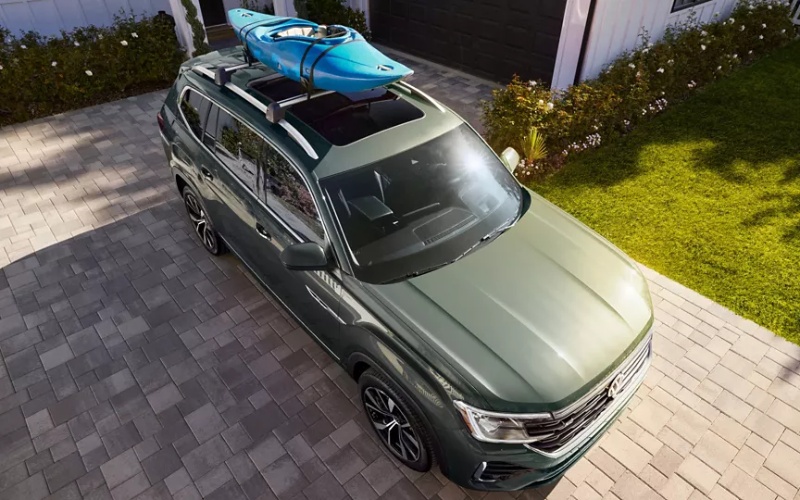
Puente Hills Volkswagen – Will the 2026 Volkswagen Atlas Wi-Fi Hotspot keep everyone connected near Chino Hills, CA?
If you commute on the 71 or 60, juggle school drop-offs along Grand Ave, or head to trailheads at Chino Hills State Park on weekends, staying online in the car has become a real-world need, not a nice-to-have. That is exactly where the built-in Wi-Fi Hotspot in the 2026 Volkswagen Atlas can make daily life easier. At Puente Hills Volkswagen, we help shoppers from Chino Hills, CA experience how the Atlas turns the cabin into a rolling connection point for work, school, and entertainment—without relying solely on your phone’s hotspot.
Below, we answer the core ownership question—will the Atlas Hotspot actually keep everyone connected nearby—and walk through how it works, how to set it up, and what to expect on the roads you drive every day. We also share practical pairing tips with Wireless App-Connect and the myVW app so your family can get the most out of the Atlas from day one.
What the Wi-Fi Hotspot in the 2026 Atlas really offers
The 2026 Volkswagen Atlas integrates an in-vehicle Wi-Fi Hotspot designed for passenger use, so everyone can connect while you focus on the road. It’s built to support everyday tasks—streaming music and podcasts, loading maps on a tablet, sending schoolwork, or even taking a quick video call when you’re parked at The Shoppes at Chino Hills.
Because this is a factory-integrated system, the Hotspot is optimized to work with the Atlas’s onboard connectivity. That means you can avoid juggling multiple phone hotspots or burning through personal data plans on a long commute. It’s a small feature that solves a very real ownership challenge for families and commuters alike.
- Device support: Up to 4 devices can connect using the Atlas Wi-Fi Hotspot.
- How it works: Requires a myVW account, acceptance of myVW+ Terms of Service, and available vehicle 4G LTE cellular connectivity and GPS signal.
- Coverage requirement: 4G LTE coverage is not available in all areas; service availability may vary along routes like Carbon Canyon Road.
- Passenger focus: The Wi-Fi Hotspot feature is intended for passenger use only—always drive attentively and avoid distraction.
- Trial and plans: A limited trial may be available; continued use requires a paid Wi-Fi plan from a third-party wireless data provider.
In simple terms, if you regularly drive around Chino Hills and the greater San Gabriel Valley, the Atlas’s Hotspot is a practical way to keep your riders online without relying entirely on a phone. Just remember that, like any cellular-based service, performance depends on coverage along your route.
How to set up the Atlas Wi-Fi Hotspot before your first big drive
Activation is straightforward—and we can walk you through it during your test drive at Puente Hills Volkswagen. Once you’re in your 2026 Atlas, you will sign in or create a myVW account and review myVW+ Terms of Service. From there, you can enable the Hotspot and connect devices right from the infotainment screen. If a trial is available, you can start it on the spot; after the trial, you’ll select a paid plan from the third-party data provider.
- Park safely, power on the Atlas, and open the connectivity settings on the 12-inch display.
- Sign in to your myVW account and follow prompts to enable myVW+ services.
- Activate the Wi-Fi Hotspot, set your network name and password, and connect up to 4 devices.
- Confirm coverage in your area before a long route—especially if you take canyon roads or head into more remote areas of Chino Hills State Park.
If you prefer, our team can pre-configure your Hotspot during delivery so your family’s devices auto-connect before you ever pull onto the 71.
How the Atlas’s connectivity fits real Chino Hills driving
Morning and late-afternoon traffic near the 71 and 60 can make short trips feel longer. In those moments, keeping passengers happily connected can keep the cabin calm. Whether it is kids streaming music on the way to Chino Hills High, a tablet downloading assignments before a tutoring session, or a co-worker emailing you a document while you sit parked, the Atlas Wi-Fi Hotspot helps minimize waiting and buffering.
Coverage matters, of course. Carbon Canyon Road (SR-142) can have patchy cellular reception, so if your weekly routine runs that way, plan to download larger files or playlists before entering the canyon. Around town—The Shoppes, Costco, city parks, and most school zones—coverage is typically strong, so the Hotspot can work as a dependable daily tool.
Beyond the Hotspot: features that enhance your connected day
The Wi-Fi Hotspot is only one piece of a broader tech story in the 2026 Atlas. Wireless App-Connect brings compatible Apple CarPlay and Android Auto right to the 12-inch display, so your go-to apps, playlists, and messages are front and center. That makes starting a podcast for the school run or pulling up navigation to an unfamiliar field more seamless—without USB cables.
The myVW app ties it all together with connected vehicle features when you activate myVW+. Depending on equipment, you can use remote start, remote lock and unlock, and see your last parked location—useful when you are moving between lots during a busy weekend. For added confidence, a 3-year Safe & Secure plan is included on most MY26 vehicles to support select connected safety features. And because the Atlas is still a family-sized SUV first, you have the flexibility of three rows and up to 96.6 cu ft of cargo space with rear seats folded—ideal for sports gear, folding wagons, or a run to the big-box stores along the 60 corridor.
As for the drive itself, the turbocharged 2.0 TSI® engine delivers a confident 269 hp and 273 lb-ft of torque. Merging onto the 71 or climbing rolling terrain around Chino Hills feels composed, especially when you are carrying passengers and gear. If weekends include towing, the Atlas offers up to a 5,000 lb towing capacity when properly equipped—handy for small trailers or watercraft headed out of town.
One more everyday advantage: built-in Wi-Fi can be easier than using a personal phone hotspot. With the Atlas, you set up a single, consistent in-vehicle network that riders can join automatically. You are not draining your personal phone’s battery, and you are not juggling multiple devices to share a connection. It is simply there each time you start the SUV—ready for the commute, carpool, or a quick errand loop around town.
To help you decide if the Atlas Wi-Fi Hotspot is right for your household, consider a quick checklist of use cases. If any sound familiar, the feature will likely pay off quickly in convenience.
- School-day carpool: Keep two to four devices connected so everyone can stream music or finish assignments without draining phone data.
- Hybrid work days: Join a call while parked or send a file from the passenger seat without tethering to your phone.
- Weekend runs: Download playlists and maps before you hit patchier coverage areas like Carbon Canyon, then stay connected again in town.
- Family road trips: Share one in-cabin network rather than juggling multiple phone hotspots and passwords.
Frequently Asked Questions:
Is the Atlas Wi-Fi Hotspot included or does it require a subscription?
Many 2026 Atlas models include a limited Hotspot trial when activated. After the trial, a paid Wi-Fi plan from a third-party wireless data provider is required to continue service. Our team can help you review current trial details and plan options during your visit.
How many devices can connect at once?
The Atlas Wi-Fi Hotspot supports up to 4 devices at a time. That is typically enough for a couple of phones plus a tablet or laptop on a typical Chino Hills commute or school run.
Will the Hotspot work everywhere I drive in and around Chino Hills?
The Hotspot relies on available 4G LTE cellular coverage and a GPS signal. You can expect strong service through most city areas, shopping centers, and major freeways like the 60 and 71. Coverage may vary in canyons or more remote areas, including sections of Carbon Canyon Road.
Does the Wi-Fi Hotspot distract the driver?
The Hotspot is intended for passenger use only, so you can keep your hands on the wheel and eyes on the road. For your apps and media, Wireless App-Connect helps you manage compatible Apple CarPlay and Android Auto right from the Atlas display—use features responsibly and avoid driving while distracted.
What else helps the Atlas feel connected for daily life?
In addition to the Hotspot, Wireless App-Connect integrates select smartphone apps, and the myVW app with myVW+ brings connected vehicle features like remote lock and unlock and last parked location when activated. Most MY26 vehicles also include a 3-year Safe & Secure plan for added peace of mind.
If you are shopping for a three-row SUV near Chino Hills, CA, and want real connectivity that matches your routine, the 2026 Volkswagen Atlas belongs on your short list. We can demonstrate the Wi-Fi Hotspot, help you set up myVW, and walk you through Wireless App-Connect so you leave with everything dialed in. While you are here, take a spin to experience the turbocharged 2.0 TSI® engine’s easy confidence and explore cargo solutions that fit your family.
Visit Puente Hills Volkswagen in City of Industry—just a quick drive from Chino Hills—to test the 2026 Atlas and see the Wi-Fi Hotspot in action. Bring the devices you use every day, and we will help you connect them before your test route. That way, you will know exactly how the Atlas will keep everyone online on your streets, your schedules, and your favorite weekend drives.
0 comment(s) so far on Will the 2026 Volkswagen Atlas Wi-Fi Hotspot keep everyone connected near Chino Hills, CA?